Unlock revenue with bulk messaging Facebook Messenger: compliant tactics, templates & tools to automate outreach, boost replies, and scale sales fast.
Opening story: From scattered chats to scalable sales
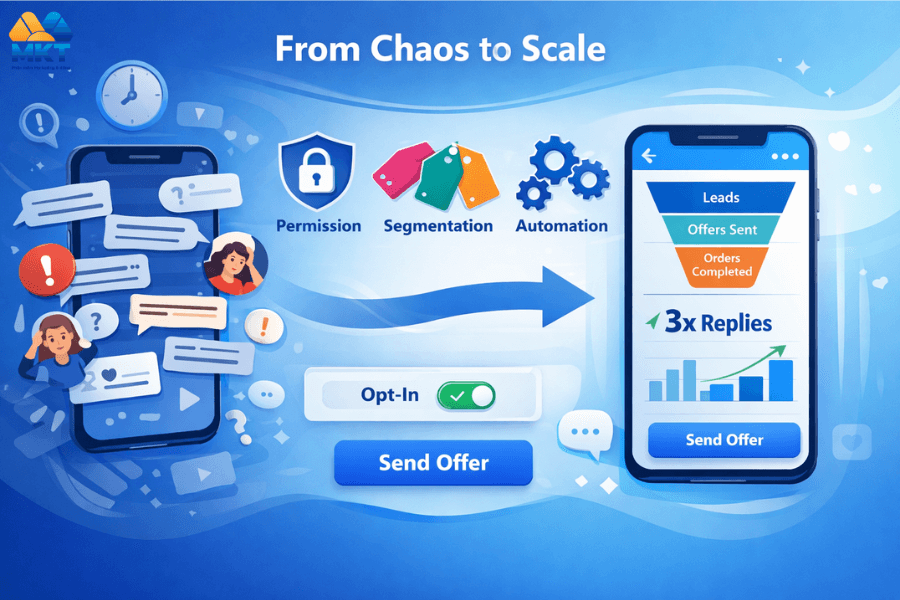
Two months ago, Linh’s boutique sold only through comments and DMs. Her team juggled dozens of conversations, forgot follow-ups, and lost warm leads overnight. After adopting a bulk messaging Facebook Messenger strategy—built on permission, segmentation, and light automation—reply rates jumped 3× and repeat orders soared. In this guide, I’ll show you the exact principles Linh used so you can turn Messenger into a predictable revenue channel without spamming, risking account blocks, or burning your brand.
As growth marketers who build SEO’d Facebook assets and conversion content daily, we’ve systemized audience building, content flows, and message frameworks that scale while staying safe.
What is bulk messaging Facebook Messenger (done right)?
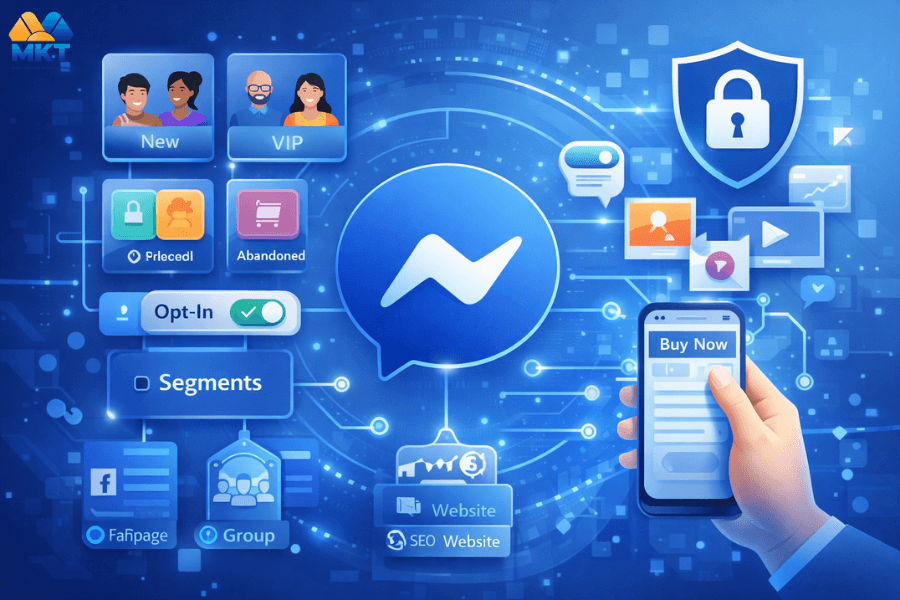
Bulk messaging Facebook Messenger means sending coordinated, permission-based messages at scale to qualified segments inside Messenger. The goal is to deliver timely value (offers, reminders, content) while complying with Facebook’s platform rules and user expectations. It’s not blasting strangers; it’s nurturing subscribers and recent engagers with relevant, high-intent touchpoints. The fastest-growing pages combine this with SEO-optimized assets—Page, Group, and website—to build owned reach that compounds.
Why Facebook Messenger still converts like crazy
- Native habit loops: Users already check Messenger daily; replies feel natural.
- Zero click friction: One tap from message to checkout or consult.
- Personal context: You can reference the last interaction to lift CTR and AOV.
- Omni-content: Text, images, short video, and mini landing flows work great on mobile.
When paired with an SEO’d Fanpage and content pillars, you’ll drive a consistent stream of qualified conversations—then bulk messaging Facebook Messenger turns those into sales at scale.
Compliance first: the golden rules of responsible bulk messaging
To keep bulk messaging Facebook Messenger safe and sustainable:
- Get permission: Use Page posts, pinned comments, Reels CTAs, and lead magnets to invite users to “Message us to get X.” Always confirm opt-in before any sequence.
- Segment smart: Tag by product interest, pain point, or funnel stage. A segmented broadcast beats a generic blast every time.
- Value > ask: Follow a 2:1 ratio (two value messages to one promo), especially for new subscribers.
- Respect frequency: Weekly for evergreen content; higher during launches—but always let users snooze or stop.
- Build discoverability: SEO your Fanpage & Group names/descriptions with buyer keywords to grow organic Messenger entrants.
The 4-stage framework to scale bulk messaging Facebook Messenger
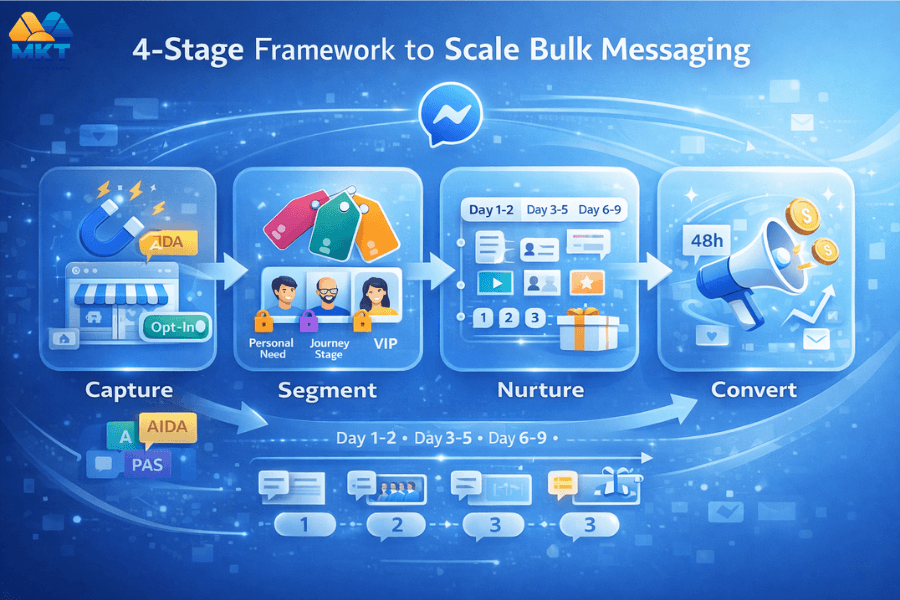
1. Stage 1: Capture (turn attention into subscribers)
- SEO Fanpage foundation: Choose a brand-plus-keyword name, write a benefit-led About section, and connect your website/contact links. This increases discovery and trust before people DM.
- Content magnets: Post checklists, swipe files, or mini lessons with a CTA: “Comment ‘INBOX’—we’ll send it via Messenger.” Consistency beats virality.
- Group accelerators: Pin “Start here” posts and welcome threads that invite members to message the Page for resources or coupons.
Pro tip: Use content frameworks like AIDA & PAS to craft hooks that earn the first click—and the permission—without clickbait.
2. Stage 2: Segment (tag intent, not just demographics)
- By product need (e.g., skincare/anti-acne vs. anti-aging).
- By journey stage (curious → comparing → ready).
- By trigger event (webinar attendee, cart abandoner, VIP).
Map segments to message sequences that speak to specific pains and desired outcomes. Your bulk messaging Facebook Messenger performance will 2–3× when each segment feels personally guided.
3. Stage 3: Nurture (deliver outsized value quickly)
Mix of formats over 10–14 days:
Day 1–2: Quick wins (1-minute how-to Reel or checklist).
Day 3–5: Social proof carousel; short story “client before/after.”
Day 6–9: Objection handlers; comparison mini-guide.
Day 10–14: Soft offer + deadline reminder.
Embed micro-CTAs: “Reply 1/2/3” to self-select next step. This is the backbone of persuasive yet respectful bulk messaging Facebook Messenger.
4. Stage 4: Convert (ethical urgency & clear paths)
- Timed bundles (free shipping or bonus content for 48h).
- Consult slots (DM “BOOK” for a 15-minute fit call).
- Re-engagement (inactive 30 days? Send a new quick win).
All offers should be framed with benefits, proof, and risk reversal. Use content angles from the “400 hooks” library to keep copy fresh.
Messaging templates you can copy today
1. Welcome + consent
“Hey {{first_name}}! I’m Linh from Brand X. Here’s your 3-step mini guide. Want weekly tips + exclusive deals via Messenger? Reply YES to opt-in, or STOP anytime.”
2. Value touchpoint
“Quick win: most acne serums fail because of over-exfoliation. Here’s a 60-second routine that works. Want the printable checklist? Reply CHECKLIST.”
3. Offer with social proof
“{{first_name}}, 2,147 customers used our 14-day routine and reported clearer skin. Today only: bundle = serum + cleanser + free shipping. Want your code? Reply BUNDLE.”
These align with inbound content discipline (Fixed/Update/Fresh) and copywriting best practices to maintain CTR and trust.
Tooling: how to operationalize bulk messaging Facebook Messenger
- Audience building: Use Page/Group SEO, systematic posting, and engagement workflows to grow qualified chat starters.
- Data & segmentation: Track who requested what (guides, coupons, webinars). Align tags with your content pillars and funnels.
- Task automation: At scale, teams often control multiple devices/accounts for content distribution, inbox hygiene, and follow-up sequences—ensure device/IP hygiene and human-like behavior to protect accounts.
If you operate high-volume content distribution for discovery (Reels, posts, Groups), plan your infrastructure and cadence first—quality and consistency outrank sheer volume.
Measurement: the five KPIs that matter
- Opt-in rate (post viewers → Messenger subscribers)
- First-reply rate (new subs who reply in 24h)
- Sequence CTR (per step, not just average)
- Reply-to-purchase conversion (per segment)
- Churn/STOP rate (keep it <3% per campaign)
Tie these to content cadences across Fanpage + Group. A simplified account structure and mobile-first creative maximize delivery and results.
Image suggestions (add ALT text + lightweight files)
- Image 1: “messenger-flow-optin.png” — ALT: “Opt-in flow for bulk messaging Facebook Messenger”
- Image 2: “segment-map-ecommerce.png” — ALT: “Segmentation map linking user intents to sequences”
- Image 3: “kpi-dashboard.png” — ALT: “Messenger campaign KPIs: opt-in, CTR, conversion”
- Image 4: “fanpage-seo-checklist.png” — ALT: “SEO checklist for Facebook Fanpage to grow Messenger list”
- Compress images (<150KB each), and keep descriptive filenames using the main keyword where relevant.
5. SOLUTIONS WITH MKT CARE:

What is MKT CARE (and why it matters here)?
MKT CARE is an all-in-one customer care and messaging operations suite that centralizes Facebook Page inboxes, tags, notes, and broadcast workflows. For bulk messaging Facebook Messenger, it gives you compliance-friendly segmentation, human-like sending, and team collaboration—so you scale replies without risking spammy behavior or losing context across agents.
Key advantages of using MKT CARE
-
Scale engagement on autopilot: Auto-react, comment, share, and DM across feeds, groups, pages, stories, videos, and Reels.
-
Targeted growth boosts: Post/profile/video/livestream/Reels seeding to lift visibility and interactions where it matters.
-
One-click distribution: Share posts & livestreams to multiple profiles, stories, and groups simultaneously.
-
24/7 posting engine: Mass post to profiles, groups, Reels, and Fanpages with scheduling, history logs, and performance tracking (plus AI spin support).
-
Safe operations at scale: Central account manager, proxy per account, and full MKT ecosystem sync to reduce flags and friction.
-
Smart commenting & audits: Auto-comment by group/post/keyword with flexible scripts and complete comment history logging.
-
Powerful messaging: Bulk send via personal profile or Page ID, auto-message by UID, and store message content + timestamps.
-
Friend management: Auto send requests (by name/ID/suggestions) and bulk unfriend/unfollow when needed.
-
Centralized account control: Edit profiles in bulk, update privacy/language/security (2FA, email/phone), and submit spam appeals.
-
Unblock support: Submit unlock requests and handle Checkpoint 282 cases effectively.
How to run bulk messaging with MKT CARE (step-by-step)
-
Scale engagement on autopilot: Auto-react, comment, share, and DM across feeds, groups, pages, stories, videos, and Reels.
-
Targeted growth boosts: Post/profile/video/livestream/Reels seeding to lift visibility and interactions where it matters.
-
One-click distribution: Share posts & livestreams to multiple profiles, stories, and groups simultaneously.
-
24/7 posting engine: Mass post to profiles, groups, Reels, and Fanpages with scheduling, history logs, and performance tracking (plus AI spin support).
-
Safe operations at scale: Central account manager, proxy per account, and full MKT ecosystem sync to reduce flags and friction.
-
Smart commenting & audits: Auto-comment by group/post/keyword with flexible scripts and complete comment history logging.
-
Powerful messaging: Bulk send via personal profile or Page ID, auto-message by UID, and store message content + timestamps.
-
Friend management: Auto send requests (by name/ID/suggestions) and bulk unfriend/unfollow when needed.
-
Centralized account control: Edit profiles in bulk, update privacy/language/security (2FA, email/phone), and submit spam appeals.
-
Unblock support: Submit unlock requests and handle Checkpoint 282 cases effectively.
Watch the workflow (video): https://www.youtube.com/watch?v=ow6BBQKc5H0
- Video walkthrough: “How to auto send messages to multiple Facebook Account”
👉 Watch the step-by-step tutorial — covers segmentation, templates, throttling, routing.
👉 Like, Share And Subscribe for more automation tutorial every week.